
This SOP outlines the steps to initiate and manage the Soft Commit process for investor offerings on the Trident platform.
Key Steps
Step 1: Start the SoftCommit Process 0:00
-
Begin the SoftCommit process by confirming that your offering is now open.
-
Ensure that you are ready to invite investors to participate.
Step 2: Invite Investors 0:08
-
You can use the platform to invite investors from your uploaded contacts.
-
This action will automatically send an email invitation to those investors.
Step 3: Share the Public Offering Link 0:26
-
Copy the public offering link to share with clients and investors.
-
This link allows them to access the offering page without needing to log in.
Step 4: Investor Access to Offering Information 0:44
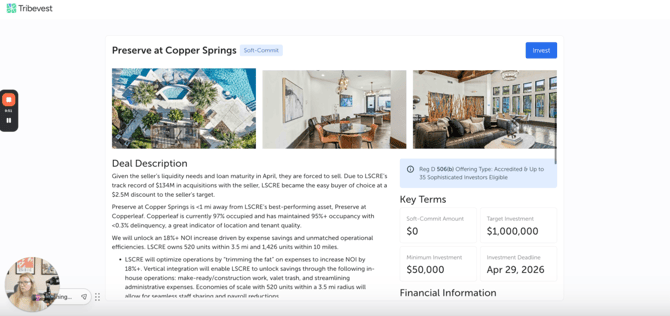
-
Investors will be able to view the published information once the images are loaded on the offering page.
-
They can review the details without logging into Trident.
Step 5: Investor Soft Commitment 1:12
-
When investors decide to invest or soft commit, they will need to log in to Trident.
-
After logging in, they can make their soft commitment to the deal.
Step 6: Notification for Hard Commitment 1:12
-
Once the soft commitment is made, investors will receive a notification to hard commit when the Offering is in the "Funding Open" stage.
Cautionary Notes
-
Ensure that all investor contact information is up-to-date before sending invitations.
-
Double-check the public offering link to ensure it directs to the correct offering page.
Tips for Efficiency
-
Consider scheduling a specific time to send out invitations to maximize investor engagement.
-
Regularly update your contact list to ensure you are reaching all potential investors.